Publish a News Feed
THESE PAGES ARE STILL UNDER CONSTRUCTION AND DO NOT NECESSARELY REFLECT THE CURRENT VERSION OF TÓPICO
In this tutorial, you'll learn how to create a news feed for your publication. You can easily create a news feed from your Tópico collection by tagging topics as news items and select the option to publish the news feed from the advanced tab.
Publish a news feed
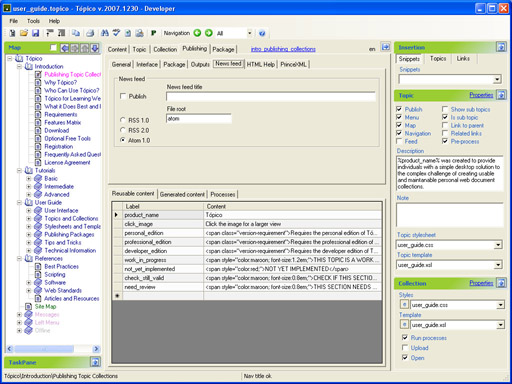
Follow this procedure to publish your news feed.
- Turn On the Feed property for each topic you want to be part of the news feed;
- Select the Advanced tab;
- Select (check) the Publish news feed feed option;
- Enter the news feed file root you'd like to use (like rss or atom);
- Select the Atom option or the RSS version you'd like to write to;
- Publish your collection.
In your template, use the following images to link to your news feed. 
Online web site URL
To add the base web site URL to your news feed, follow these steps.
- Open the Collection properties dialog window;
- Select the URL tab;
- Enter the online URL for the web site;
- Click .
THESE PAGES ARE STILL UNDER CONSTRUCTION AND DO NOT NECESSARELY REFLECT THE CURRENT VERSION OF TÓPICO
48 / 194